In the age of smartphones, our lives have become intricately intertwined with these pocket-sized devices. From communication and entertainment to productivity and photography, smartphones have become indispensable tools. At the heart of these devices lies one of the most critical components: the display screen. As a vital interface between us and the digital world, protecting our phone displays has become a top priority. This brings us to the world of screen protectors – those thin, transparent layers that safeguard our screens from scratches, cracks, and more. In this article, we’re diving deep into the realm of phone displays and screen protectors, answering ten of the most pressing questions.
1. Why are phone displays so important?
Phone displays are the windows through which we interact with our devices. The quality of the display influences our overall experience, affecting everything from visual clarity and color accuracy to touch responsiveness. Modern smartphones use a variety of technologies for displays, such as LCD (Liquid Crystal Display) and OLED (Organic Light Emitting Diode), each with its own advantages and drawbacks.

2. What are screen protectors, and why do we need them?
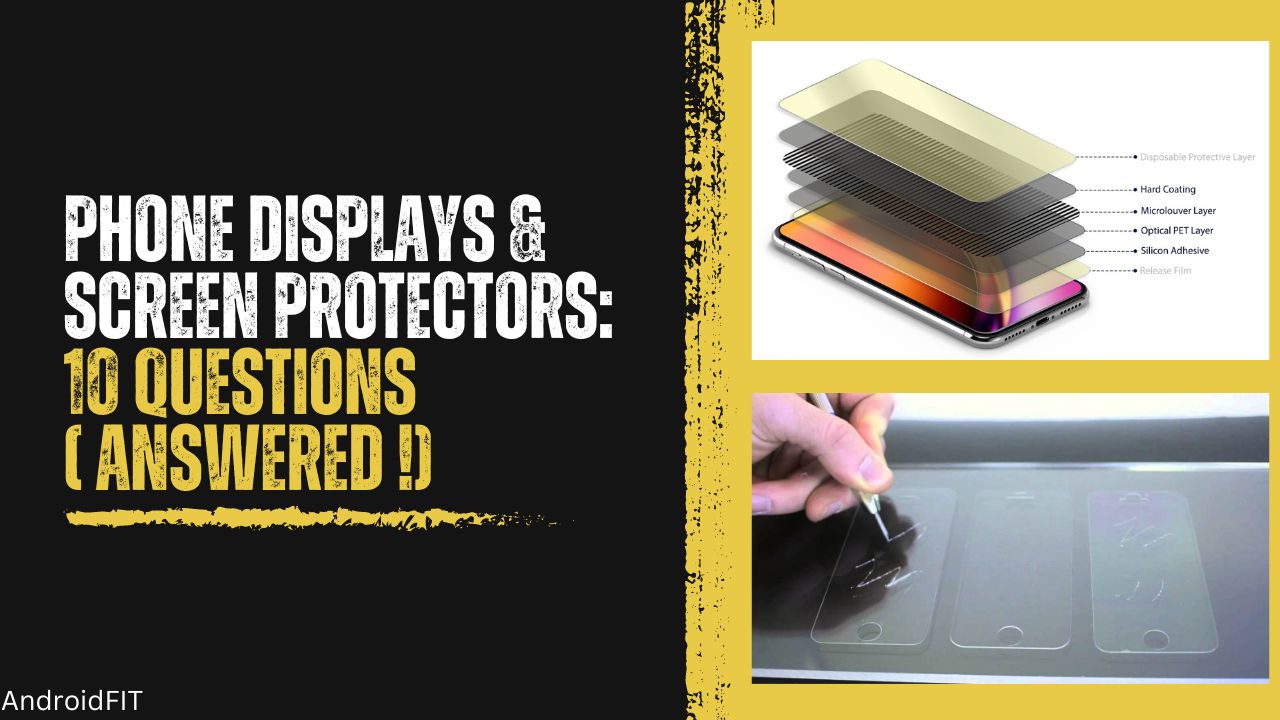
Screen protectors are thin, transparent films applied to the surface of a phone’s display to shield it from damage. They act as a sacrificial layer that absorbs impacts, prevents scratches, and safeguards against cracks. Given that phone screens are vulnerable to accidental drops, scratches from keys, and general wear and tear, screen protectors are an essential accessory to prolong the lifespan of your device.

3. Do screen protectors affect display quality?
Modern screen protectors are designed to minimize any negative impact on display quality. High-quality protectors are usually made from materials like tempered glass or flexible polymer films, which maintain optical clarity and touch sensitivity. However, it’s crucial to choose reputable brands to ensure that the protector doesn’t compromise the visual experience.

4. Can I apply a screen protector myself?
Yes, many screen protectors are designed for easy DIY applications. Most kits come with detailed instructions, a cleaning kit, and alignment tools to help you achieve a bubble-free installation. However, if you’re uncomfortable applying the protector yourself, you can always visit a professional or your local smartphone store for assistance.
5. What’s the difference between tempered glass and plastic protectors?
Tempered glass protectors are made from hardened glass that offers better scratch resistance and feels more like the original screen. They are thicker and provide additional impact protection. Plastic protectors, on the other hand, are more flexible and may be better at absorbing shock from impacts. Your choice depends on your priorities – whether you prefer enhanced protection or a more natural touch experience.

6. Can a screen protector prevent my phone from shattering?
While a screen protector can absorb and distribute the force from an impact, it might not prevent your phone from shattering in all cases. The protector itself could crack, but the main advantage is that it takes the brunt of the damage, leaving your actual screen intact. For robust protection against shattering, consider a case that provides additional cushioning.
7. Are there screen protectors for curved-edge displays?
Yes, there are screen protectors designed specifically for phones with curved-edge displays. These protectors are shaped to match the contours of the phone’s screen, offering full coverage without interfering with touch sensitivity. However, installation can be trickier due to the curved edges, so following the instructions precisely is crucial.
8. Can removing a screen protector damage the phone?
Removing a screen protector should not damage your phone if done carefully. Peel it off slowly and gently, and avoid using sharp objects that could scratch the display. Any adhesive residue left behind can usually be wiped off with a microfiber cloth and a gentle screen cleaning solution.
9. Do certain screen protectors enhance privacy?
Yes, there are privacy screen protectors that use a special filter to make the display content visible only when viewed directly head-on. This prevents others from peeking at your screen from angles. However, keep in mind that these protectors might slightly affect the clarity and brightness of the display.

10. Can I use a screen protector with other phone accessories?
Absolutely! Screen protectors are designed to complement other accessories like phone cases. In fact, using a screen protector with a case provides comprehensive protection for your device. Just make sure that the case doesn’t apply undue pressure on the protector, as this could affect touch sensitivity.
Conclusion:
Phone displays are the gateways to our digital lives, and protecting them is paramount. Screen protectors offer a practical and affordable solution to shield your display from the inevitable mishaps of daily life. By choosing the right protector and installing it correctly, you can enjoy a seamless and protected smartphone experience. So, go ahead and safeguard your window to the digital world!