Swapping phones used to mean hunting for a paperclip to poke a tiny hole in your Android device. In 2026, that satisfying “click” of a plastic tray is becoming a relic of the past. As flagship phones move toward portless designs, the eSIM vs SIM debate has reached a tipping point for every Android enthusiast. Whether you’re eyeing the latest Pixel, a high-end Samsung Galaxy, or a budget-friendly Motorola, understanding how you connect to the network determines your freedom to switch carriers and secure your data.
The Evolution of Connectivity: From Plastic to Pixels
For decades, the Subscriber Identity Module (SIM) was a physical piece of hardware. It held your identity, your phone number, and your contacts. We saw it shrink from the size of a credit card to the tiny Nano-SIM that dominates today.
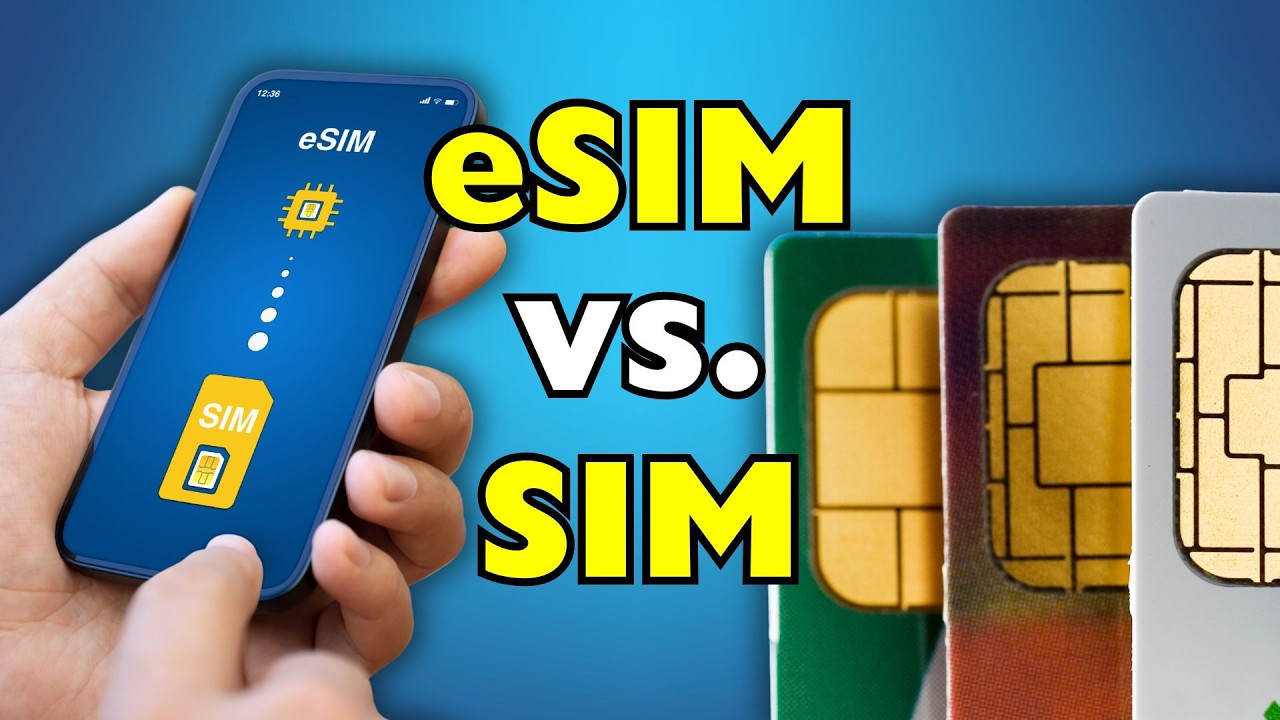
But the landscape shifted with the introduction of the eSIM (embedded SIM). This isn’t a card you can hold; it’s a small chip soldered directly onto your Android phone’s motherboard. By 2026, almost every mid-range and flagship Android device supports this technology. The transition isn’t just about saving space; it’s about moving from physical hardware to software-defined connectivity.
Deep Dive: The Traditional Physical SIM Card
The physical SIM card remains the most recognizable way to get service. You buy a starter pack, pop the card in, and you’re online. It’s tangible, familiar, and requires zero technical knowledge to use.
In 2026, physical SIMs still hold a significant market share, especially in developing regions or among users who prefer “offline” control over their subscriptions. If your phone dies, you can simply move the card to another device and continue your day.
Why Enthusiasts Still Love Physical SIMs
For the modding community and those who frequently test different Android ROMs, the physical SIM is a safety net. It doesn’t require an internet connection to “activate.” You just plug and play.
However, the downsides are stacking up. Physical SIM cards can wear out, the gold contacts can corrode, and they are incredibly easy to lose during a swap. Most importantly, they take up precious internal real estate that manufacturers would rather use for bigger batteries or better cooling systems.
Deep Dive: The Rise of eSIM Technology
The eSIM represents the future of the Android ecosystem. Instead of a physical swap, you download a “profile” from your carrier via a QR code or an app. This allows you to store multiple carrier profiles on a single device, switching between them in the Android settings menu.
By 2026, the SGP.32 standard has simplified eSIM adoption. This newer protocol makes it easier for Android users to transfer their digital SIMs between devices without needing to contact carrier support or visit a retail store.
The Power of Multiple Profiles
One of the biggest wins for eSIM users is the ability to manage multiple numbers. You can have a work line, a personal line, and a travel data plan all running on one chip. This “Dual SIM Dual Standby” (DSDS) functionality is smoother on eSIM because you don’t have to juggle two physical pieces of plastic.
eSIM vs SIM: The 2026 Comparison Table
| Feature | Physical Nano-SIM | Embedded SIM (eSIM) |
|---|---|---|
| Ease of Switching Phones | High (Move card manually) | Moderate (Cloud/QR transfer) |
| Activation Speed | Slow (Wait for shipping/store) | Instant (Digital download) |
| Durability | Vulnerable to damage/loss | Permanent (Cannot be lost) |
| Security | Low (Can be stolen/swapped) | High (Requires device access) |
| Dual SIM Support | Requires two physical slots | Supports 5+ stored profiles |
| Space Efficiency | Large (Requires tray/slot) | Zero footprint (On-chip) |
| Travel Convenience | Low (Buy local cards) | High (Download local plans) |
Comparing Security: Protecting Your Identity
Security is where the eSIM vs SIM debate gets serious. If someone steals your Android phone and it has a physical SIM, they can pop the card out, put it in their own phone, and potentially bypass your Two-Factor Authentication (2FA) for bank accounts or social media.
With an eSIM, the “card” is locked inside the phone. A thief cannot remove it. To delete an eSIM profile, they need your phone’s passcode or biometric data. This makes eSIM significantly more resistant to “SIM swapping” attacks, which have plagued the Android community for years.
Furthermore, if your phone is stolen, the eSIM stays active. This allows you to track the device via Google’s “Find My Device” network more effectively because the thief can’t simply disconnect the cellular service by removing a tray.
Traveling in 2026: The Digital Nomad’s Choice
If you travel frequently, the choice between eSIM vs SIM is clear. In the past, landing in a new country meant frantically searching for a kiosk to buy a local SIM card. You’d have to find a paperclip, swap the cards, and pray you didn’t lose your home SIM in your luggage.
In 2026, Android users use apps like Airalo or Holafly to buy data plans before they even board the plane. As soon as the wheels touch the ground, the phone connects to the local 5G or 6G network. You keep your primary WhatsApp number active on your home eSIM while using the local eSIM for cheap data.
Pros & Cons: Making the Right Choice
| Technology | Pros | Cons |
|---|---|---|
| Physical SIM | • Works if the phone is dead • Easy to swap without internet • No carrier “activation” apps needed | • Easy to steal or lose • Takes up device space • Limited to 1-2 numbers |
| eSIM | • Enhanced theft protection • Instant carrier switching • More space for battery/hardware | • Harder to move if phone screen breaks • Requires internet for first setup • Some legacy carriers charge fees |
The Hardware Perspective: Why Your Next Phone Might Be Portless
Android manufacturers like Samsung, Xiaomi, and Google are pushing for thinner, more water-resistant devices. The SIM tray is a literal hole in your phone’s defense. It lets in dust and water and requires a complex internal mechanism to eject.
By removing the SIM slot, manufacturers can use that space for:
- Larger Battery Cells: Even a few extra millimeters can mean 200mAh more capacity.
- Improved Haptics: Better vibration motors for gaming.
- Enhanced Cooling: Larger vapor chambers for high-performance mobile gaming.
If you are buying a flagship Android in 2026, there is a high chance it will be “eSIM only” or “eSIM primary.”
Troubleshooting Common Connectivity Issues
Transitioning to new tech always comes with a few bumps. Here are the top issues Android users face and how to fix them.
Issue 1: “No Service” After eSIM Activation
If you’ve downloaded your profile but have no bars, first ensure that your “SIM Slot” is turned on in settings.
- Fix: Go to Settings > Network & Internet > SIMs and toggle the eSIM to “On.” If it still fails, toggle Airplane Mode for 30 seconds to force a reconnection to the nearest 5G tower.
Issue 2: Cannot Transfer eSIM to a New Android Device
Unlike physical cards, you can’t just move an eSIM. Some carriers require you to “release” the profile from the old phone first.
- Fix: Check if your carrier supports the Android eSIM Transfer tool. If not, you will need to log into your carrier’s app on the new phone and generate a new QR code.
Issue 3: QR Code Error During Setup
Sometimes the camera won’t recognize the activation code, or it says “Code already used.”
- Fix: Ensure you have a stable Wi-Fi connection. eSIM activation requires data to verify with the carrier’s server. If the code is “used,” it likely means the profile is already partially installed—check your SIM list for an “Inactive” profile and delete it before trying again.
Pro Tips for Managing Your Android Connectivity
- Label Your SIMs: Android allows you to rename your SIM profiles. Label them “Work,” “Personal,” or “Travel” to avoid accidentally using expensive roaming data.
- Screenshot Your QR Codes: Keep a secure, encrypted backup of your eSIM QR codes in a vault like Bitwarden. If your phone screen breaks, you’ll need those codes to set up your replacement device.
- Check for Carrier Locking: Just because a phone has an eSIM doesn’t mean it’s unlocked. If you bought your phone on a contract, the eSIM chip might be locked to that specific provider until the device is paid off.
Verdict: Which Is Best for Your Android Phone?
The winner depends entirely on your lifestyle, but the momentum is undeniable.
- Best for International Travelers: eSIM. The ability to jump between local data plans without physical hardware is a literal lifesaver.
- Best for Privacy & Security: eSIM. It prevents SIM swapping and keeps your phone trackable even if stolen.
- Best for Gamers & Power Users: eSIM. It allows manufacturers to pack more cooling and battery tech into the chassis.
- Best for “Old School” Users: Physical SIM. If you switch phones every week or live in an area with inconsistent internet, the reliability of plastic can’t be beaten.
In 2026, the eSIM is the superior choice for 90% of Android users. It’s faster, safer, and fits the “always-connected” lifestyle of the modern world.
FAQs: Everything You Need to Know
Can I use both an eSIM and a physical SIM at the same time?
Yes! Most Android phones in 2026 support Dual SIM Dual Standby (DSDS). You can use a physical SIM for your main number and an eSIM for secondary data or work lines.
Does using an eSIM drain the battery faster?
No. The energy consumption of an eSIM chip is virtually identical to a physical SIM card. In fact, by allowing for larger batteries in device design, eSIM indirectly leads to better battery life.
What happens to my eSIM if I factory reset my Android phone?
During a factory reset, Android will ask if you want to “Erase SIMs.” If you select no, your eSIM profiles will remain on the chip even after the phone is wiped. If you select yes, you will need to re-download the profiles.
Is eSIM available on budget Android phones?
By 2026, eSIM technology has trickled down to almost all “A-series” and mid-range devices from brands like Samsung, Google, and OnePlus. Only the absolute entry-level “Go Edition” phones still rely exclusively on physical slots.
Can I convert my physical SIM to an eSIM?
Most major carriers now offer a “Convert to eSIM” option directly in the Android settings or through their official app. It usually takes less than five minutes and deactivates your old plastic card instantly.
The shift from physical SIMs to eSIMs is more than just a hardware change; it’s a move toward a more flexible, secure Android experience. While the physical SIM served us well for decades, the digital-first nature of 2026 demands the convenience of the eSIM.
Ready to make the switch? Check your Android settings today to see if your device is eSIM-compatible and start enjoying the freedom of cardless connectivity. For more Android tips, hardware deep dives, and modding guides, stay tuned to AndroidFit.com!